Getting Started
The Abaqus 2022 software and documentation is available for download from the CC FTP Site.
Download Abaqus 2022
Extract the zipped file to a local drive (e.g., D:\).
Critical Configuration Step
In Windows 10/11, it is mandatory to add the command directory path to the "PATH" variable:
- Press Win + R and type
sysdm.cpl. - Go to the Advanced tab and click Environment Variables.
- Edit the PATH variable (for both System and User).
- Click New and add this path:
C:\SIMULIA\Commands
To Run Abaqus: Execute
C:\SIMULIA\Commands\abq_cae_open.bat
License Configuration
To Run Abaqus 2022, Campus Network connectivity is required.
Add DNS Suffixes in IPv4 address properties. Configure DNS Suffixes here
License Server: 29000@akash3.cc.iitk.ac.in
Installation Walkthrough
Swipe or tap arrows to navigate

Go to Abaqus folder and run the setup.exe from
D:\Abaqus_2022\AM_SIM_Abaqus_Extend.AllOS. Click on
"Next" button.

Proceed with the following selected products and click on "Next" button.

Click on "Install" button.

Click on "Browse" button and select the installer file path and click on "OK".

Click on "Next" button.

Click on "Next" button.
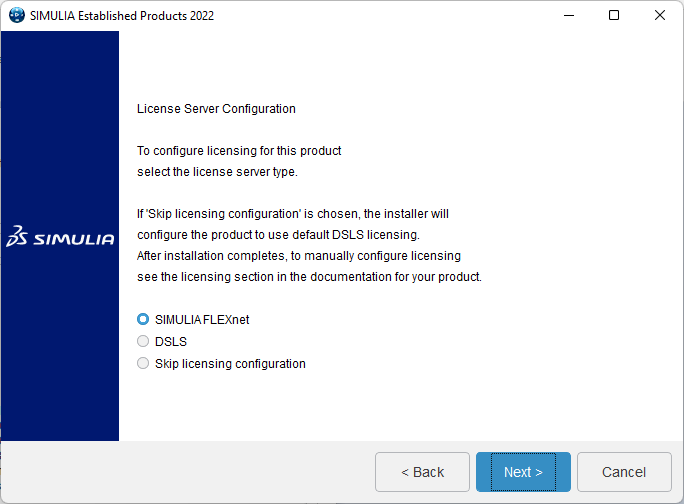
Select "SIMULIA FLEXnet" and click "Next".

Specify the license server details 29000@akash3.cc.iitk.ac.in and
click on "Next" button.
Campus Network
connectivity required. Configure DNS
Suffixes.

Click on "Next" button.
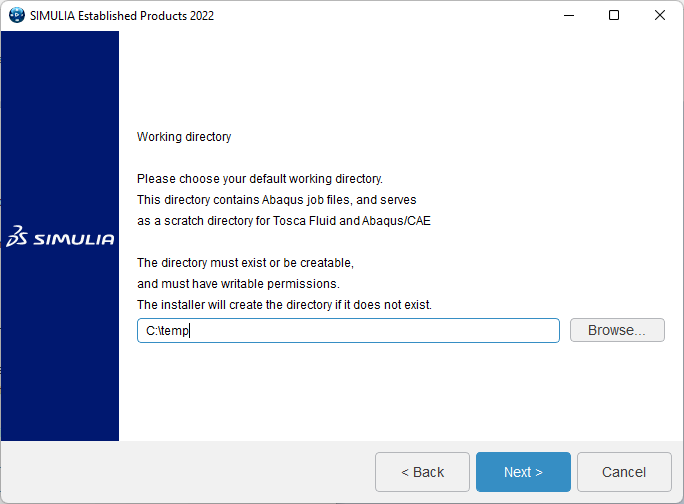
Click on "Next" button.
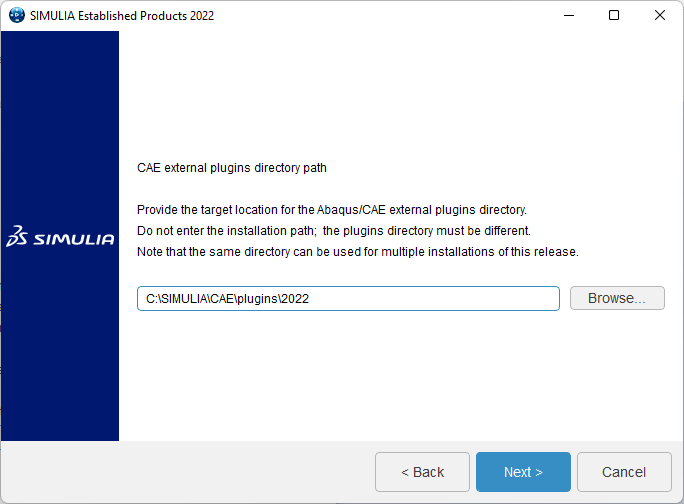
Click on "Next" button.
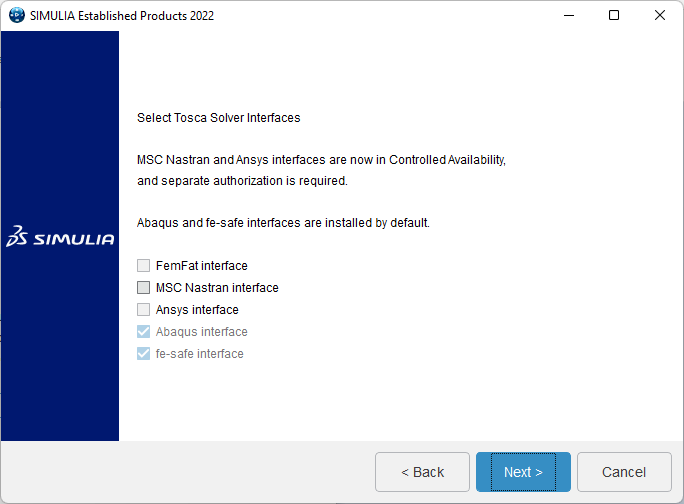
Click on "Next" button.

Click on "Next" button.

Click on "Install" button.
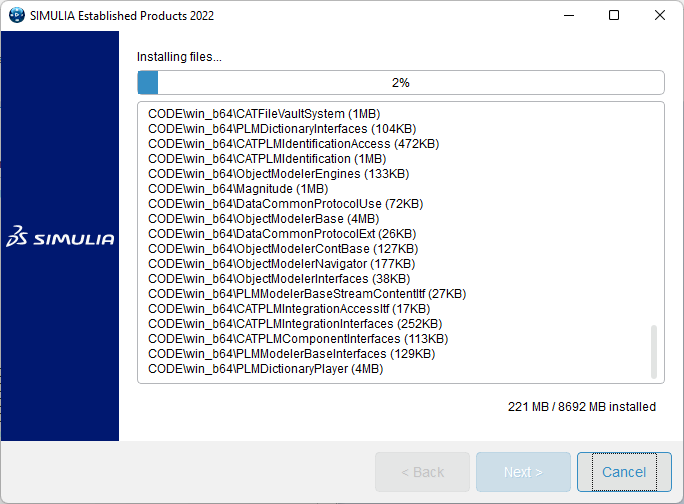
Wait for installation to complete.

Click on "Close" button.

Click on "Next" button for the installation of "CAA API".

Proceed with the default selected products and click on "Next" button.
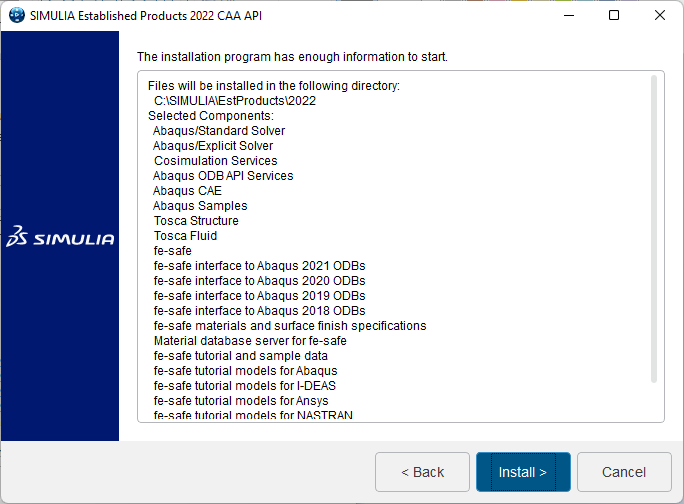
Click on "Install" button.

Click on "Close" button.
Installation Complete!
Remember to verify your Environment Variables.
All components installed successfully. Your Abaqus 2022 is ready to use!