Important Note
Adobe Creative Cloud applications are available for students, faculty, and staff at IIT Kanpur. The application access is only available using Institute's Microsoft 365 login. Licenses are assigned and managed centrally by the institute.
Installation Notes
- Remove all earlier versions of Adobe Software.
- Go to Adobe Website (http://creativecloud.adobe.com) and Sign - in with your Institute's Microsoft 365 credentials.
- On the photo placeholder (Top right corner) please locate the link to "Install Creative Cloud Desktop" and download and install the software.
- After installation, Open Creative Cloud Desktop and Sign in with your Institute's Microsoft 365 credentials.
- Click on the Link to "All Apps" and click on "Request Access" for any of Adobe Acrobat, Photoshop, or other software in the bundle.
- You will receive an email from Adobe within 24 hours confirming your license assignment.
- Once you receive the email, you can install and use any of the Adobe Creative Cloud applications on Desktop/Web/Mobile/Mac.
Installation Walkthrough
Swipe or tap arrows to navigate
Best viewed on Desktop/Laptop Screen
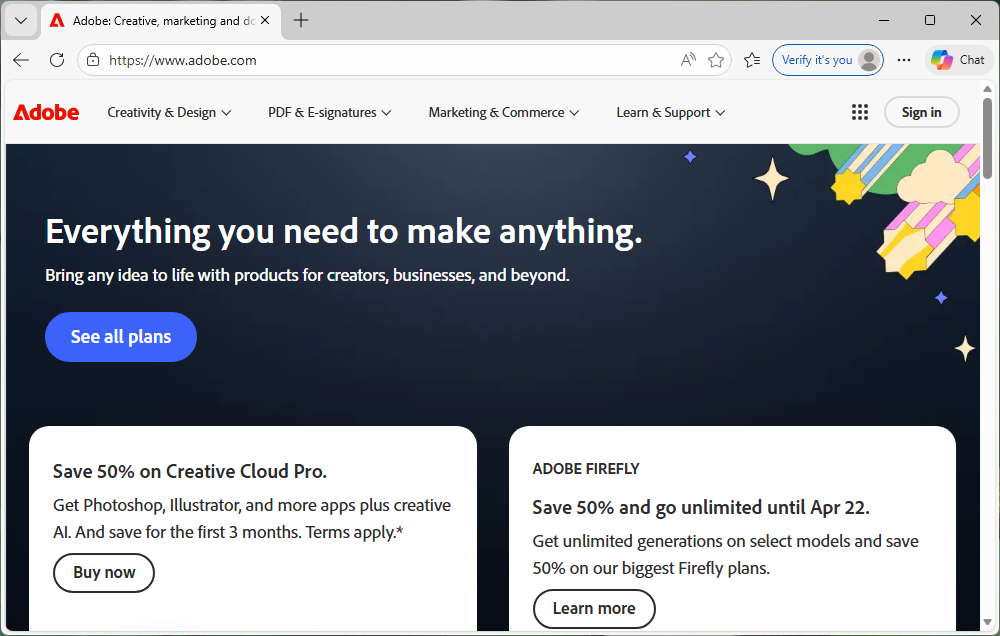
Go to the Adobe website (www.adobe.com) securely and click on Sign in.
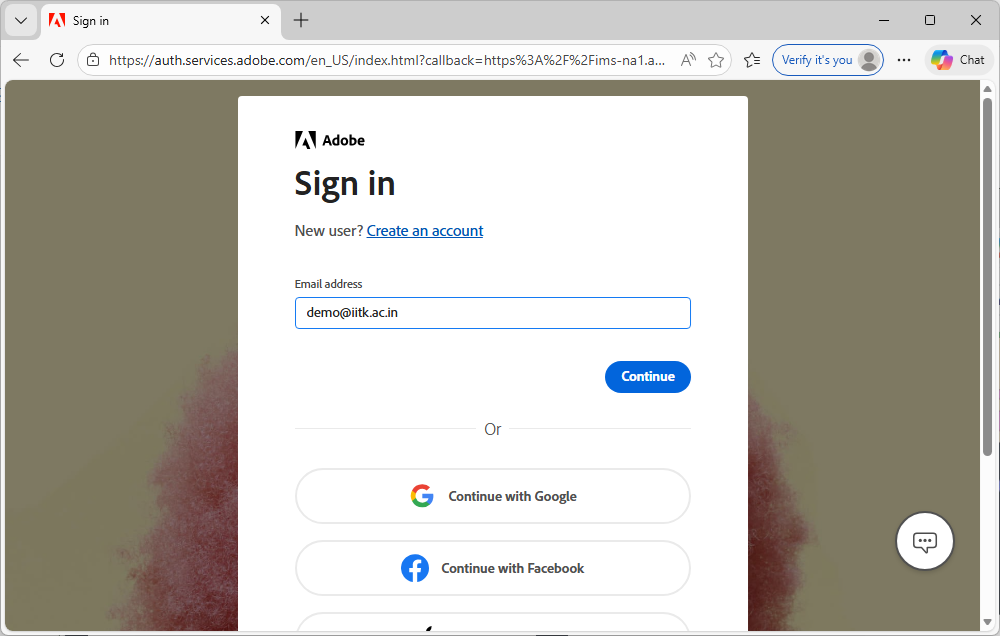
Enter your institute email address (e.g., username@iitk.ac.in) and click Continue.
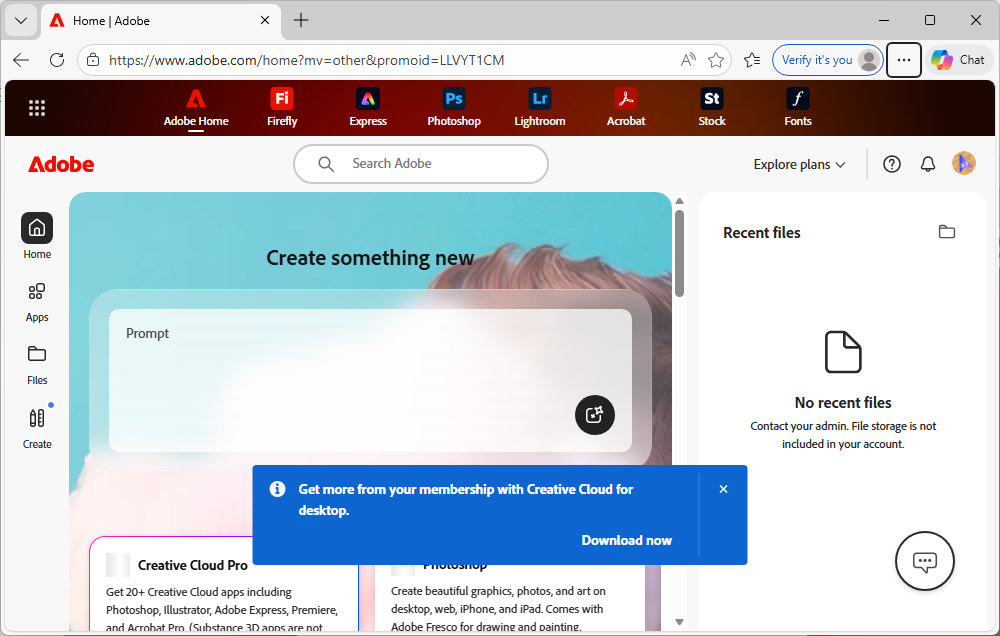
A pop-up will appear on the Adobe Home page. Click Download now to get the Creative Cloud desktop app.
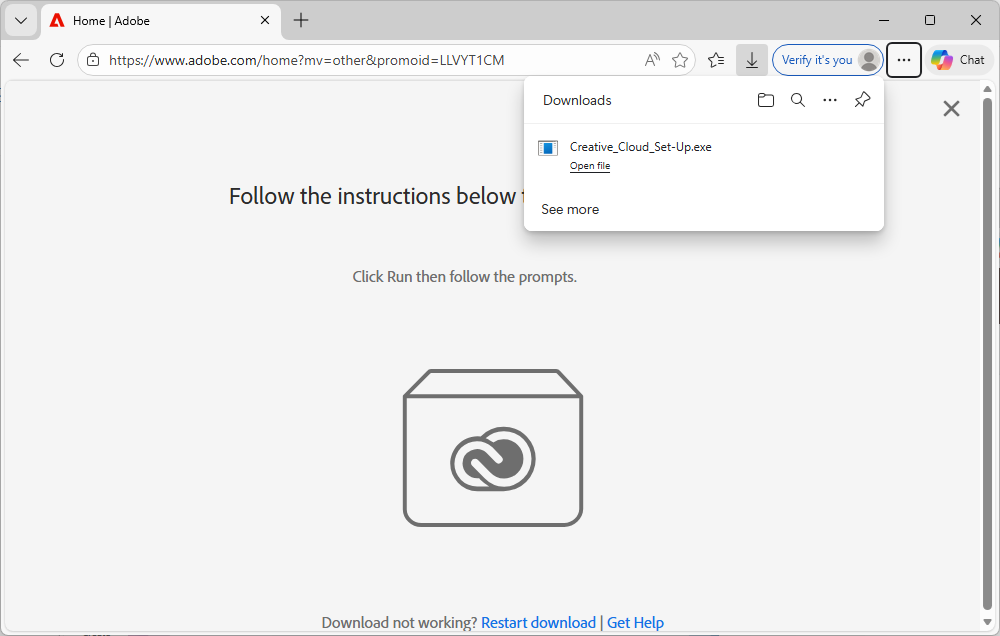
Open your downloads and run the Creative_Cloud_Set-Up.exe file.
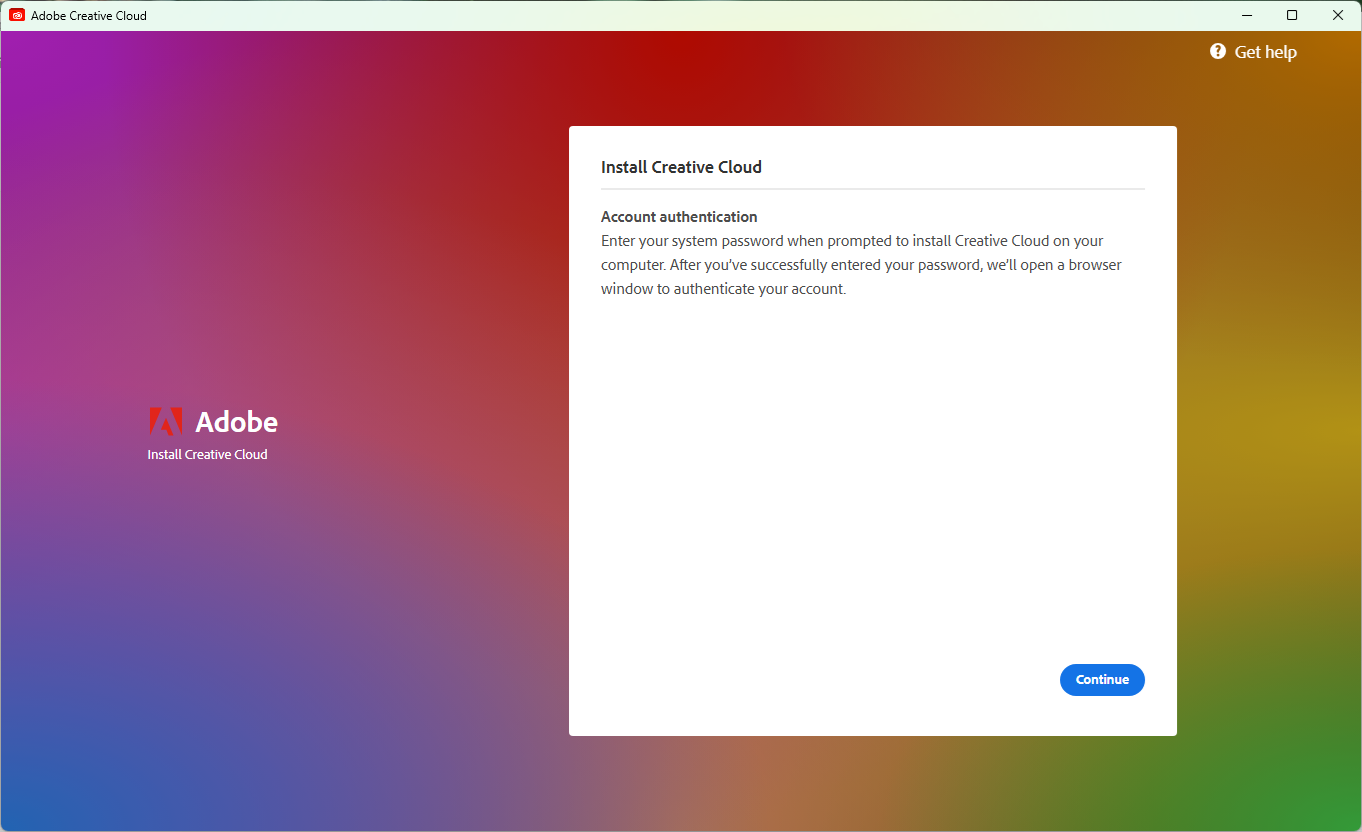
In the installer window, click Continue to authenticate your account in the browser.
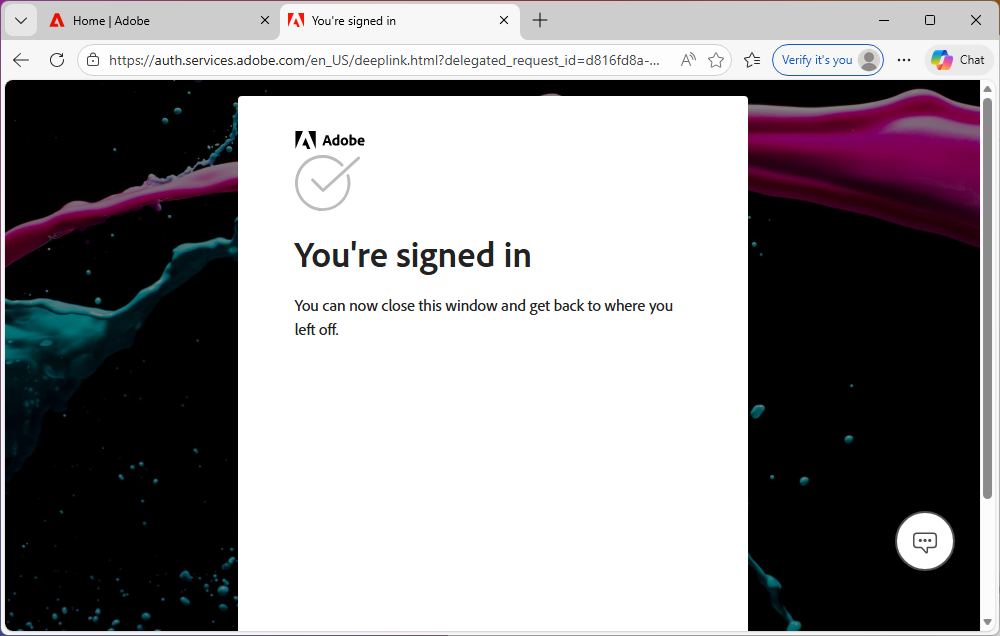
Once you see the "You're signed in" message, you can close the browser window and return to the installer.
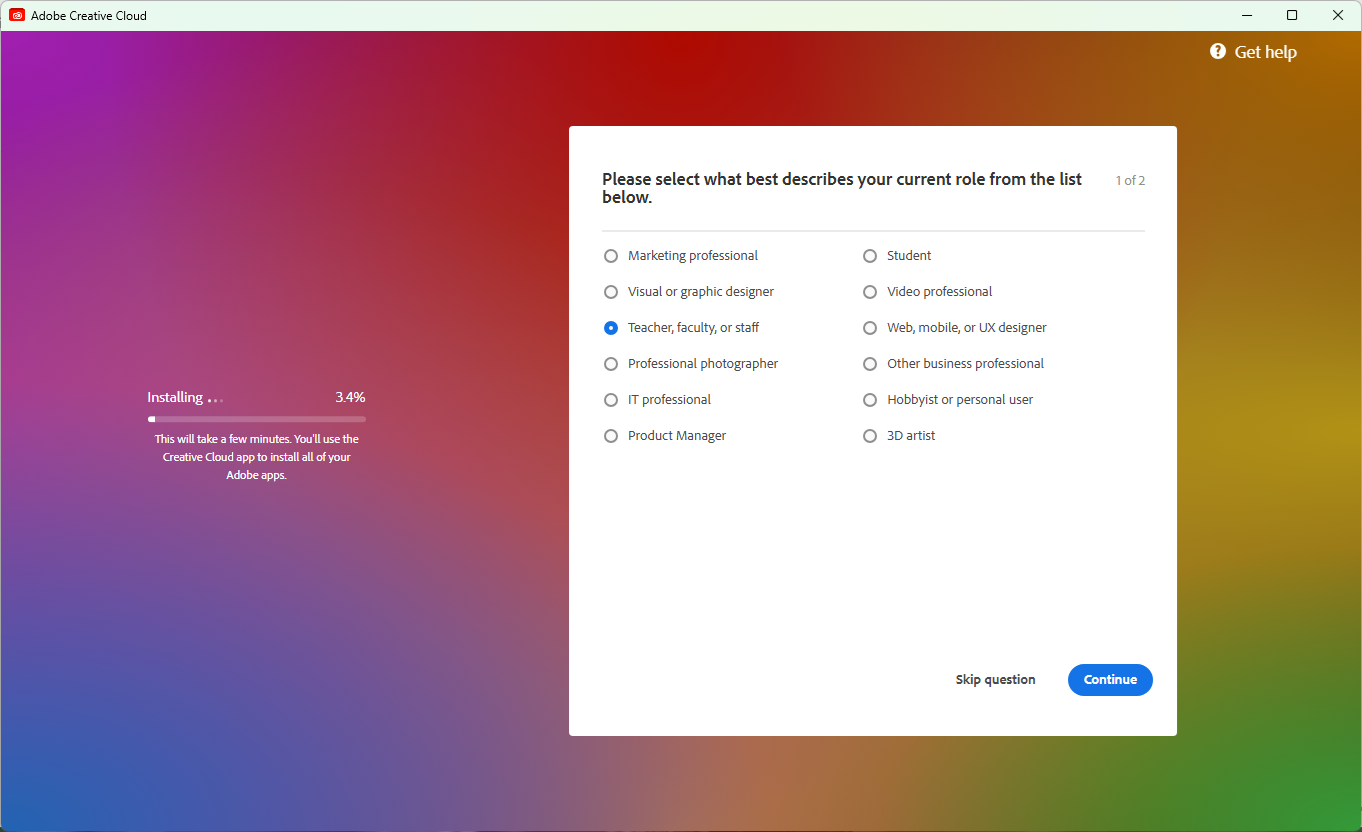
Select your current role (e.g., Teacher, faculty, or staff) and click Continue.
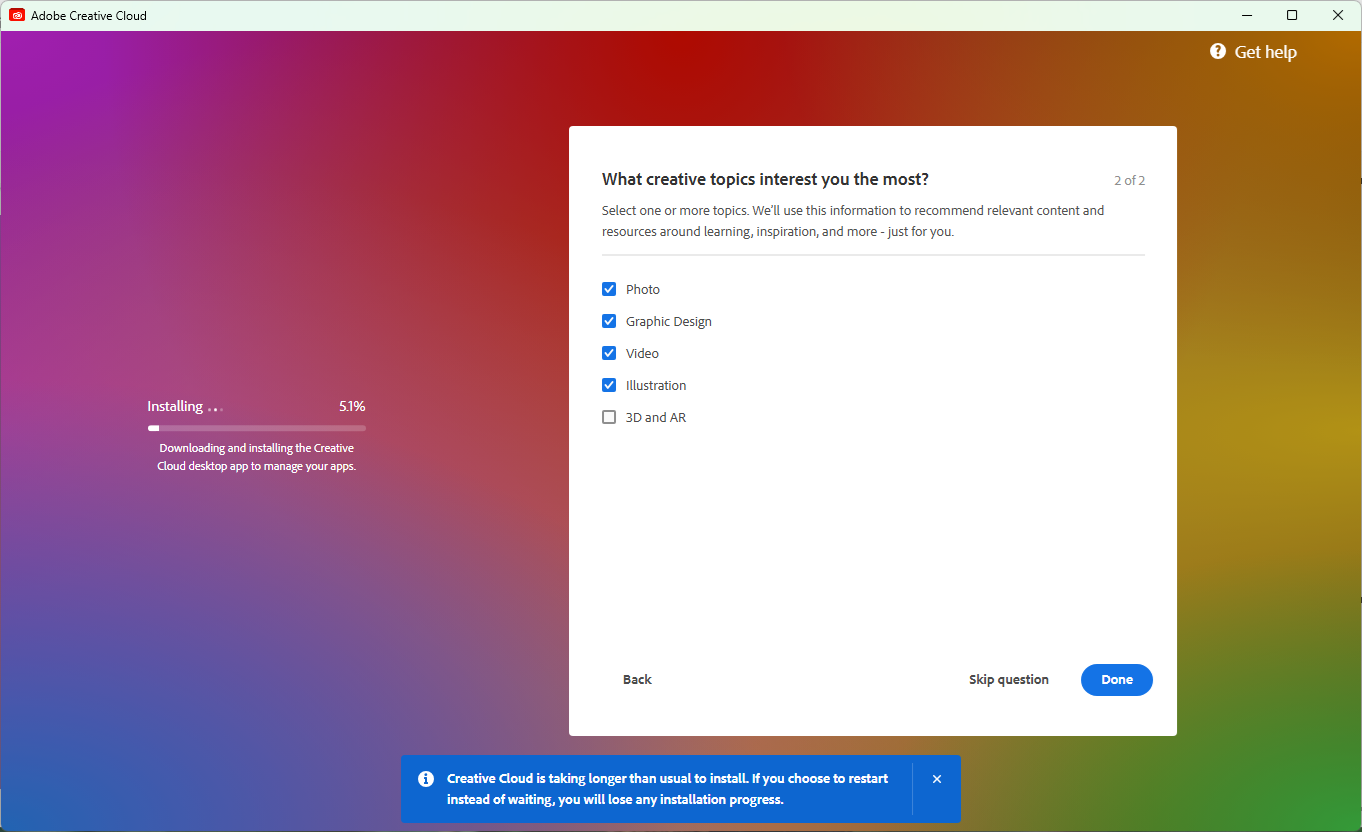
Select the creative topics that interest you the most and click Done.
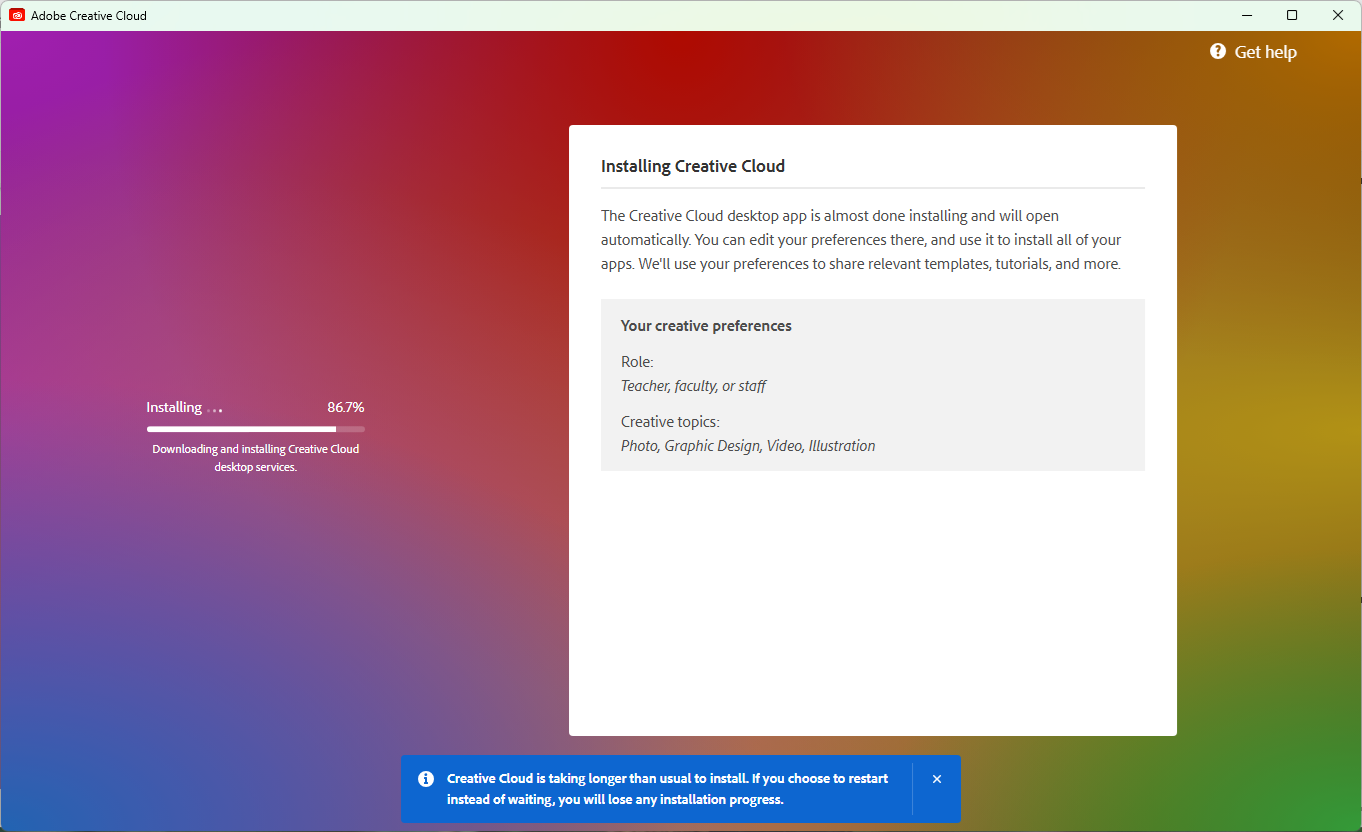
Wait for the Creative Cloud desktop app to finish installing.
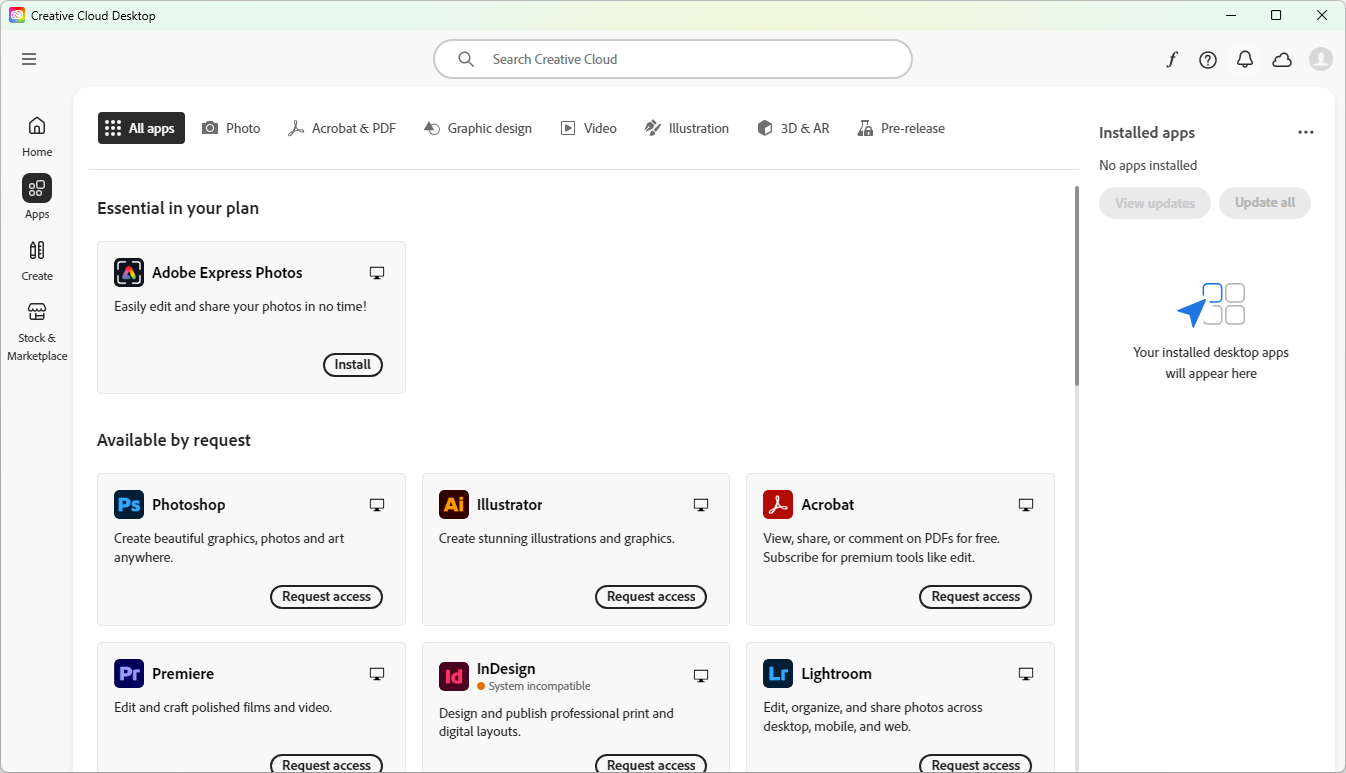
The Creative Cloud Desktop application will open automatically.
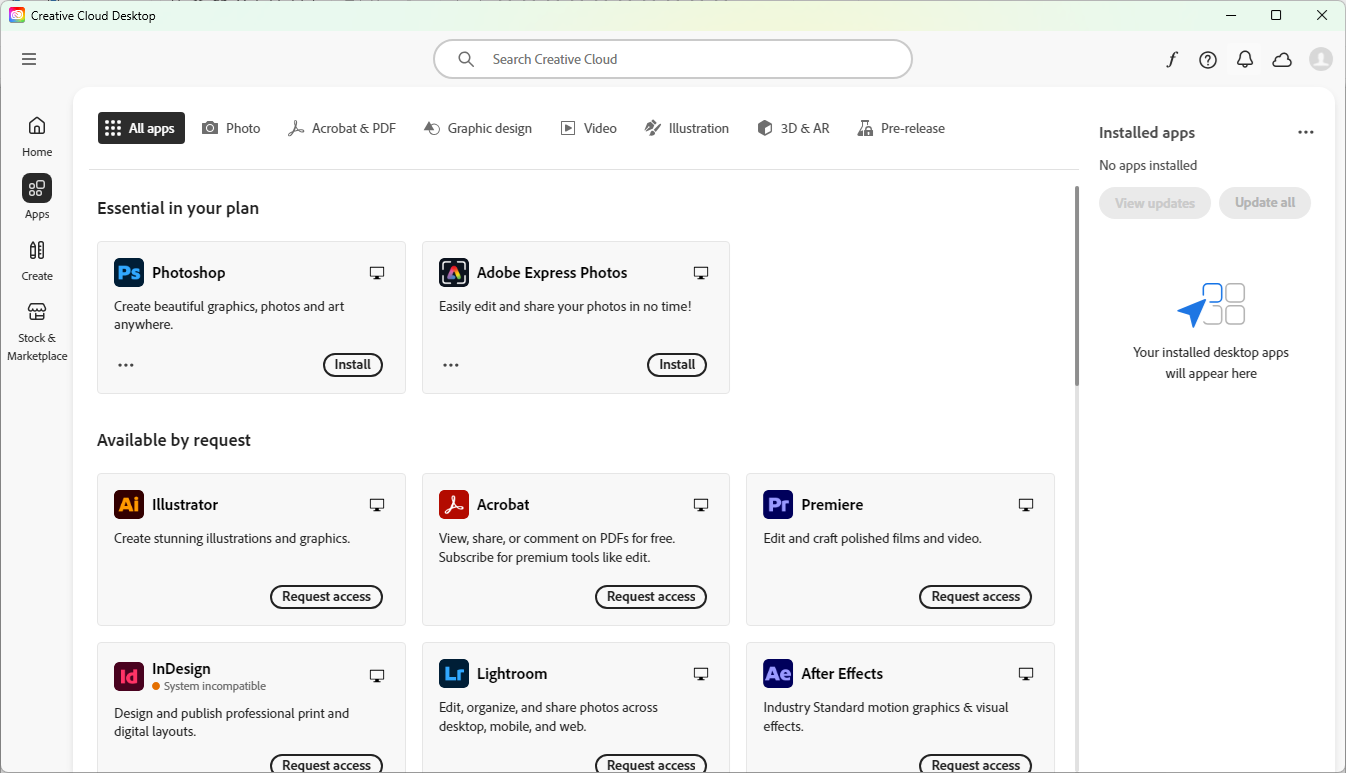
Find the required application (e.g., Photoshop) under "Available by request" and click "Request access". The application will be available in "Essential in your plan" after approval. Click Install.
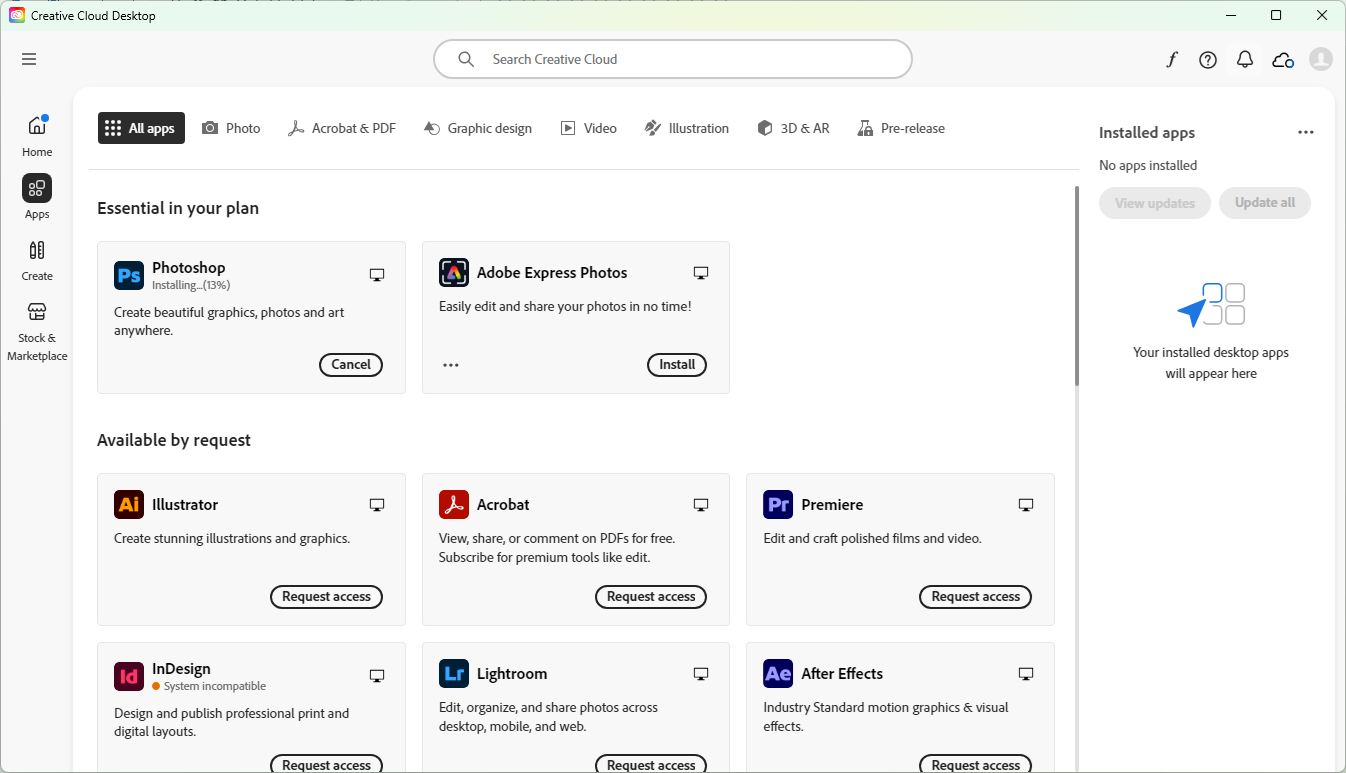
Wait while the selected Adobe application is being installed.
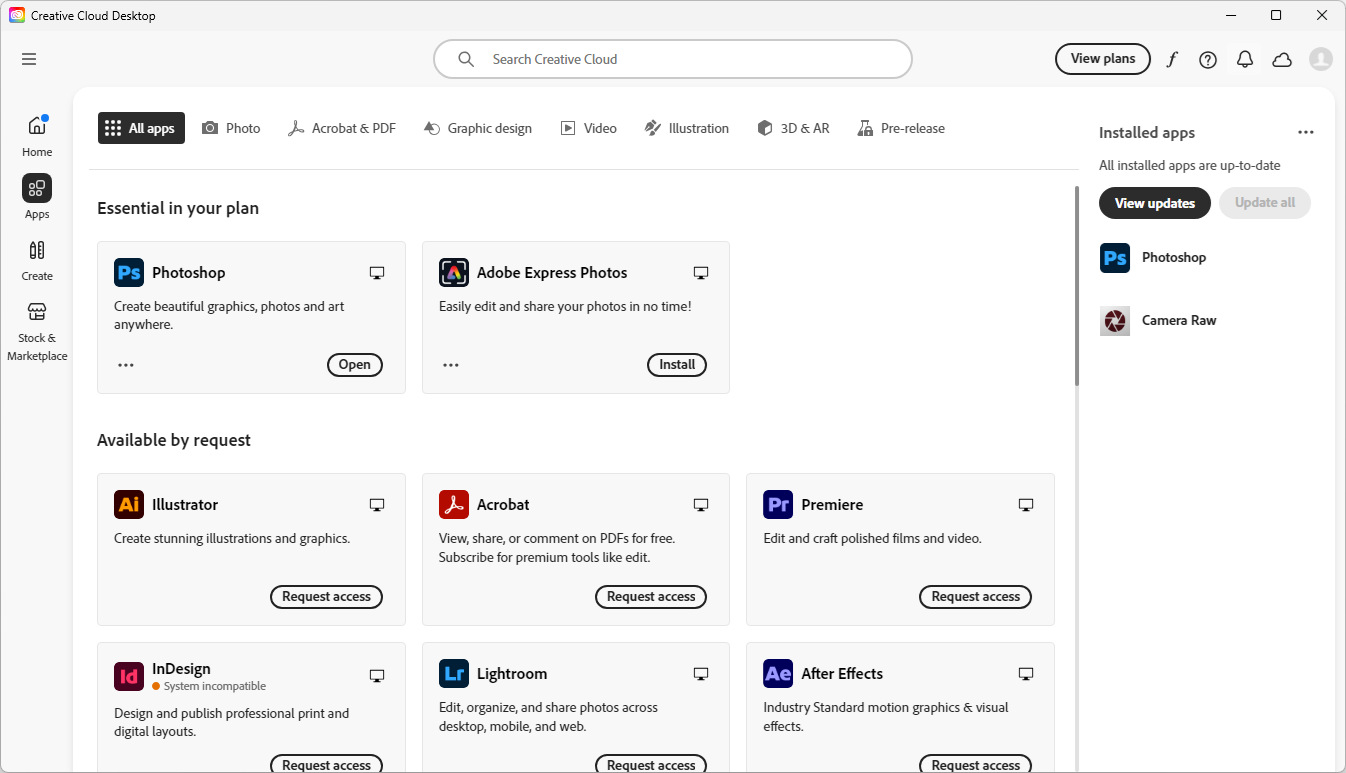
Once the installation completes, click Open to launch your Adobe application.
Installation Complete!
You can now start using Adobe Creative Cloud apps.
You can now start using Adobe Creative Cloud apps.