Getting Started
The SPSS 30 software is available for download from the CC FTP site.
Download SPSS 30
Download the file to a local drive (e.g., D:\) and run it.
License Configuration
License Server: 172.31.1.153
Campus network connectivity is required. Configure DNS Suffixes if using static IP (how-to).
Installation Walkthrough
Swipe or tap arrows to navigate
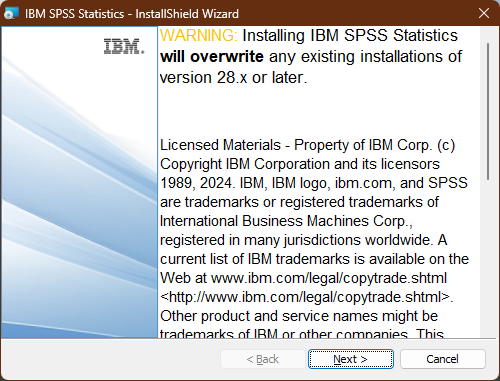
Click on the "Next" button.
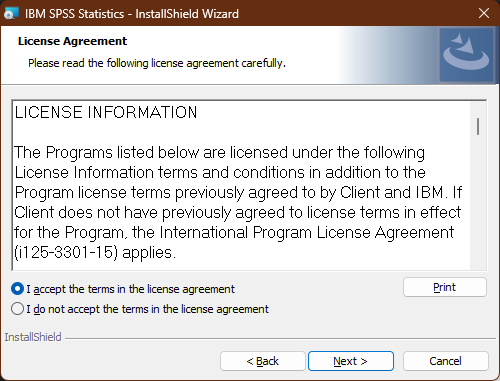
Accept the license agreement and click on the "Next" button.
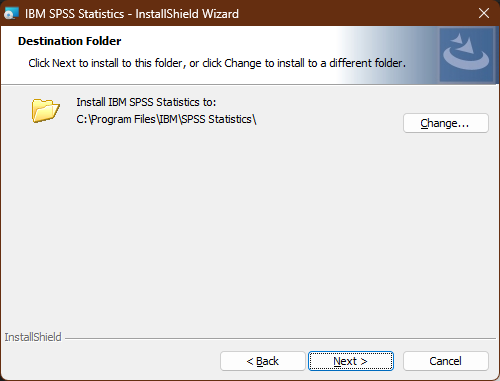
Leave the "Destination Folder" by default and click on the "Next" button to continue.
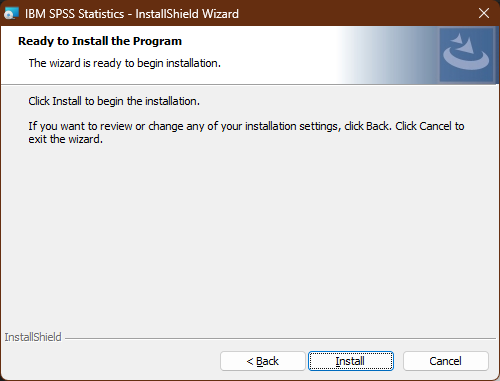
The Software is ready to install, click on the "Install" button.
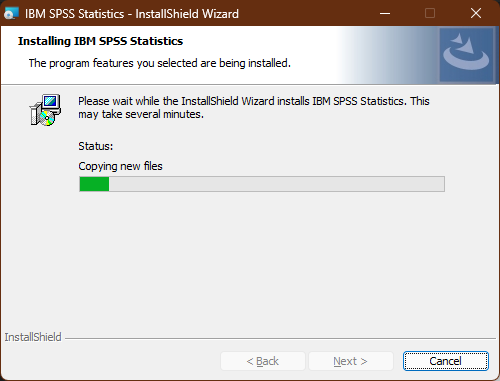
Wait for a few minutes to complete this installation process.
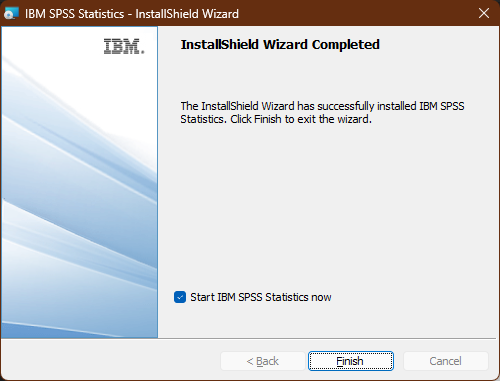
Click on the "Finish" button with a tick (✓) on the check box "Start SPSS Statistics now" option.
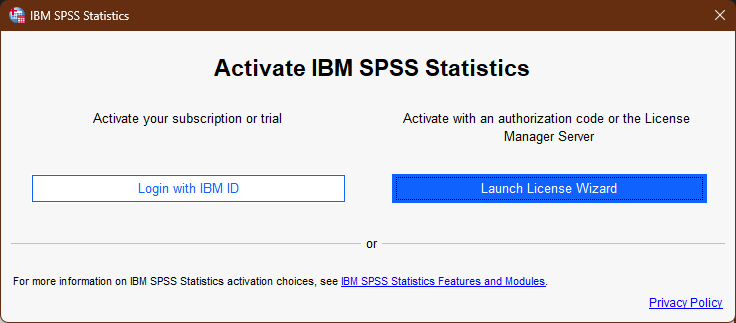
Select the "Launch License Wizard".
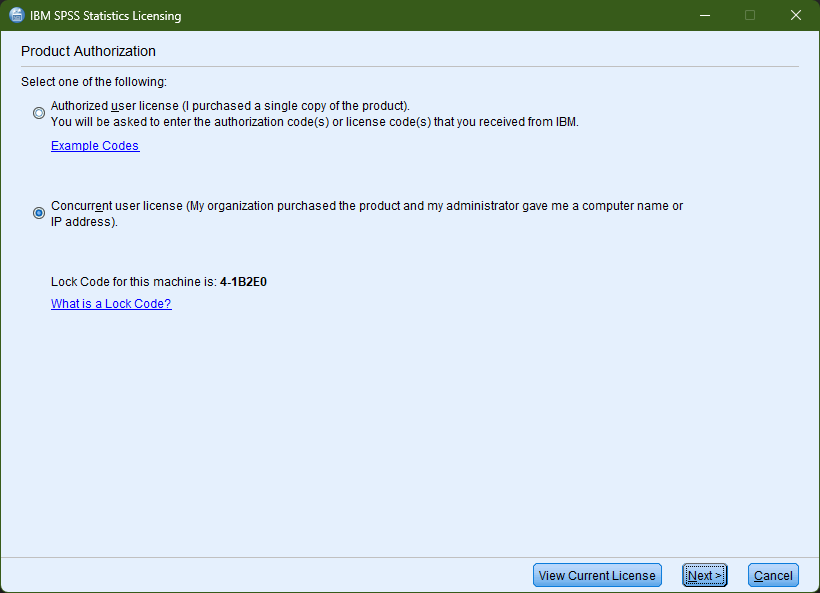
Select the "Concurrent user license" and click the "Next" button to continue.
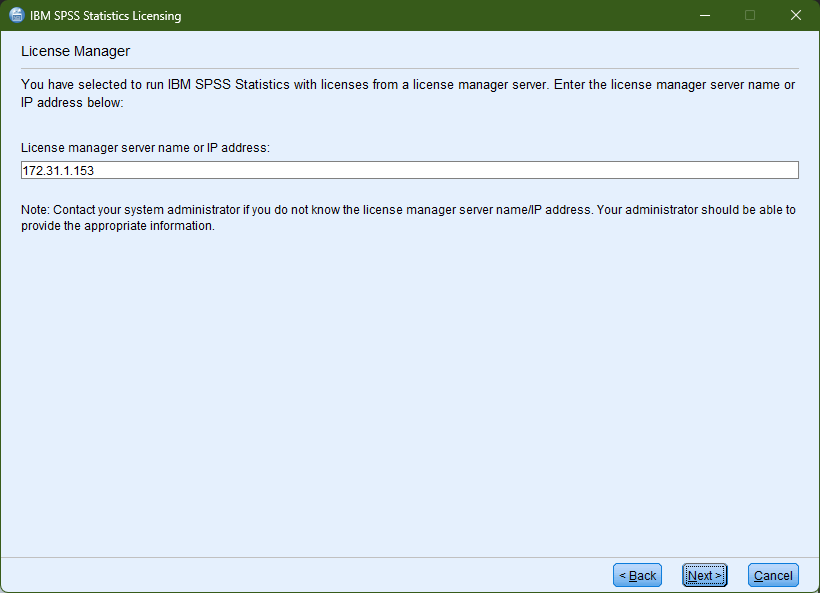
Enter the "License Manager Server IP Address" in the Server IP Address
box & click on "Next" button to continue.
(License Manager
Server for IIT Campus is "172.31.1.153") Campus Network
connectivity
required.
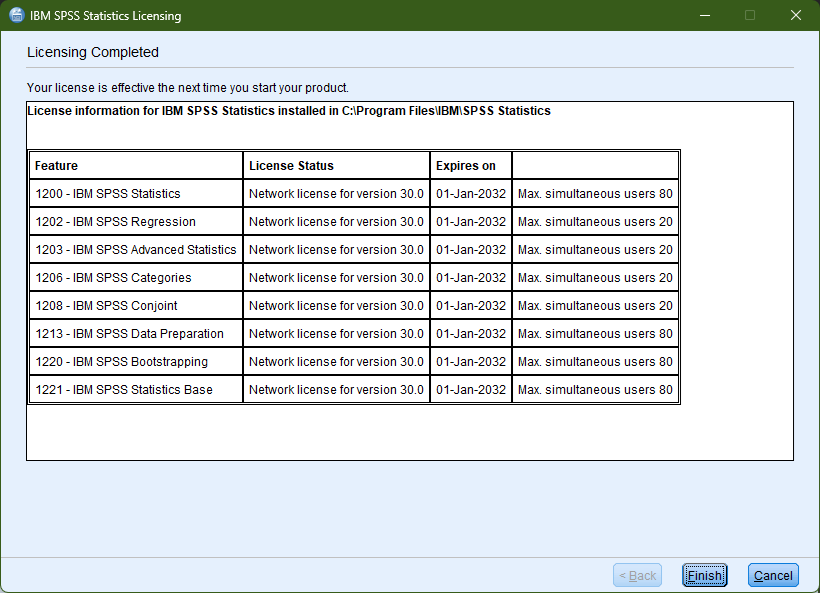
Installation is complete.
Installation Complete!
SPSS 30 is ready to use.
All components installed successfully. SPSS 30 is ready to use!