Getting Started
Download Thunderbird installer from CC FTP: Download
Follow the steps shown below to configure your account.
Configuration Steps
Swipe or tap arrows to navigate

Step 1
Open Thunderbird and choose Email.
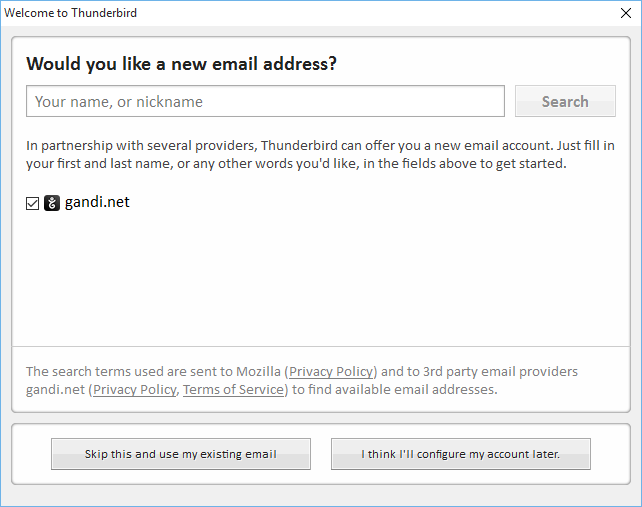
Step 2
Skip and use existing email.
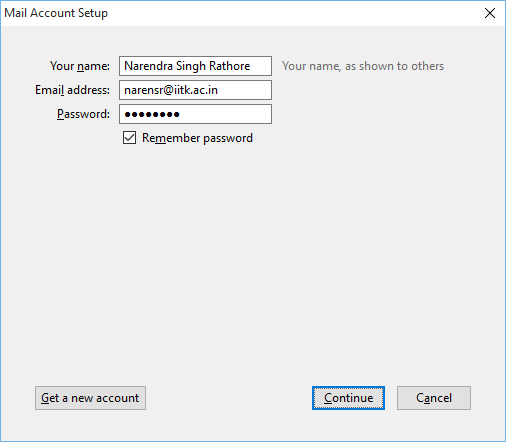
Step 3
Provide account info and continue.

Step 4
Fill server settings as required and re-test.

Done
Click Done to finish configuration.
Thunderbird Configuration completed!
Thunderbird is ready to use.
Done
Thunderbird configuration completed successfully. Thunderbird is ready to use!